Workflow tests
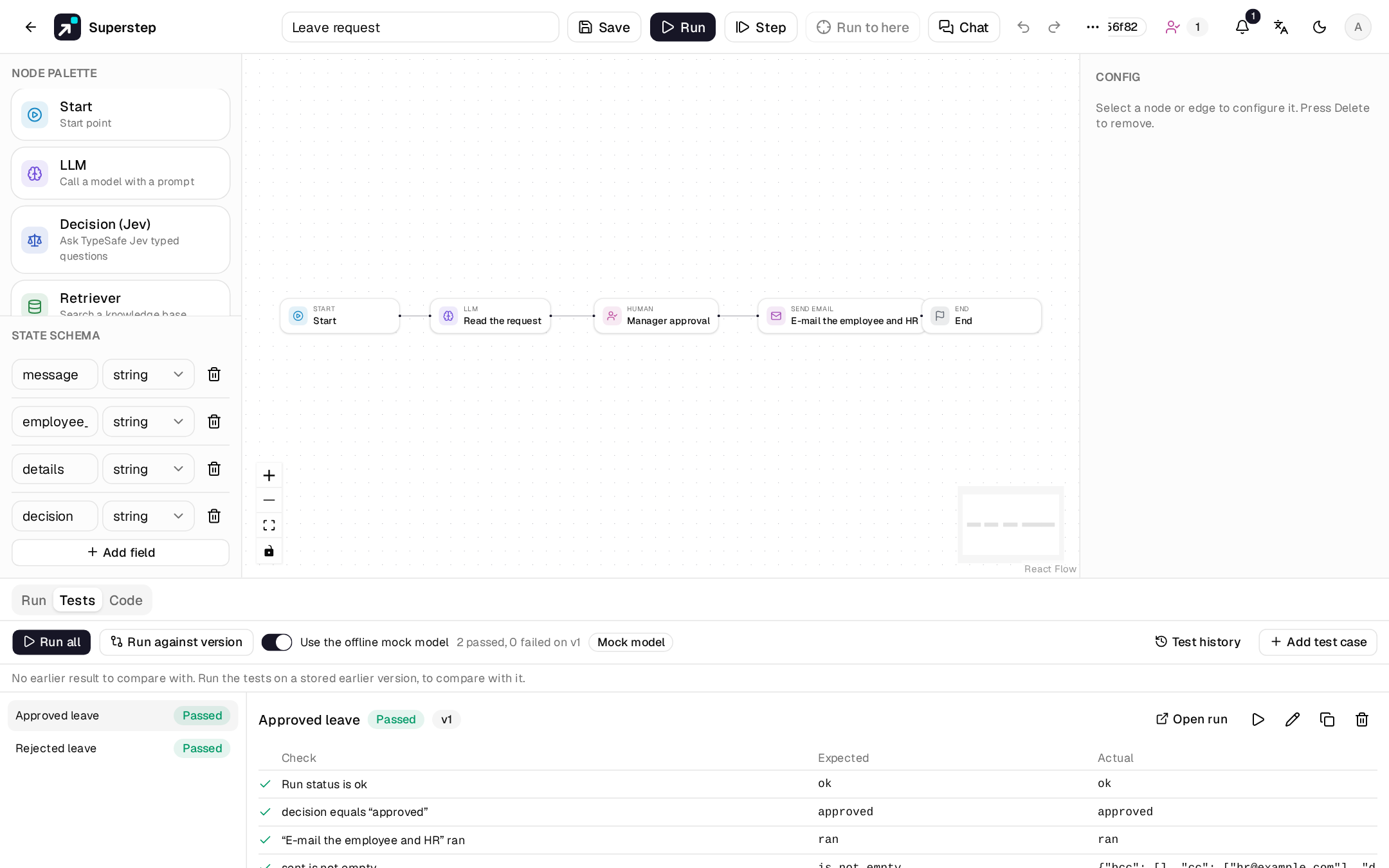
The Tests tab in the editor keeps test cases for the workflow: an input, the answers to give at Human nodes, and what the run should show. Run them after each edit to see what still works, and what a change broke.
Before you begin
- Edit access to the workflow to add, change and run tests. Viewers see the cases and their results.
- The worker running: each test case is queued as a run.
- Tests run a saved version. Save first to test your latest changes.
- Imported LangGraph repositories have no Tests tab.
Test cases
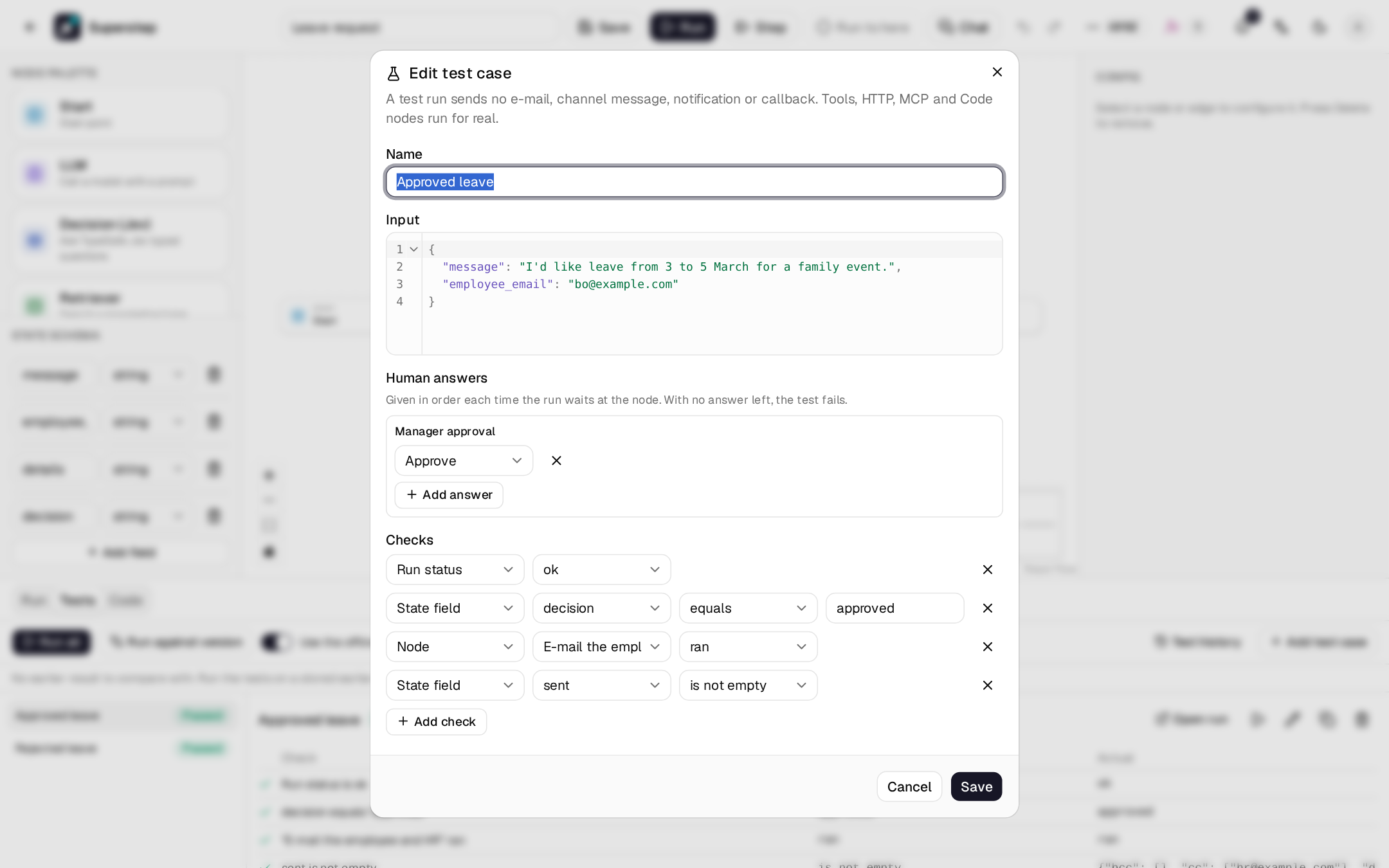
Add test case opens the editor of a case.
| Part | What it holds |
|---|---|
| Name | What the case is about, for example "Rejected leave". |
| Input | The run input, as JSON. |
| Human answers | For each Human node, the answers in order: Approve, Reject or a text reply. A node that waits again, for example after a rewrite, gets the next one. An Agent node with a tool that needs approval is listed too: one answer per call. |
| Checks | What the run must show. All of them must pass. |
| Check | Passes when |
|---|---|
| Run status | The run ended ok, error or waiting, as chosen. Without a status check, the run must end ok. |
| State field | A field equals, contains, does not contain or matches a pattern (regular expression), or is empty or not empty. Objects and lists compare as JSON. |
| Node | A node ran, or did not run. |
| Tool called | An Agent node called a tool, or did not. A call counts when it ran, even if the tool failed; a rejected, refused or invalid call does not. |
| Duration | The run took at most this many seconds. |
| Cost | The run cost at most this many US$. Not checked when a model has no known price. |
A workflow keeps up to 50 test cases (STUDIO_TEST_CASES_MAX), each with up to
30 checks and 20 answers per Human node.
Run the tests
- Run all runs every case on the current saved version; the play button on a case runs only that one.
- Up to 4 cases run at a time (
STUDIO_TEST_PARALLEL). One run of the tests per workflow at a time; Cancel stops it. - Use the offline mock model runs every LLM, Agent and Decision node with the offline mock: no model calls, no cost, the same answers every time. Without it the tests use the real models and their credentials.
- Each case shows pass or fail, and each check its expected and actual value. Open run shows the test run's trace.
- When a Human node waits and the case has no answer left for it, the case fails and says which node waited.
Test runs are left out of the run history (Run → View all). Turn on Test runs there to list them.
What a test run does not send
A test run is an ordinary run of the workflow, with the same nodes, limits and trace, so a test checks what real runs do. Only what reaches people is turned off:
| Does not | Instead |
|---|---|
| Send e-mail | Send email nodes do a dry run: the output shows the message they would have sent. |
| Send approval requests to channels, or add steps to the Approvals inbox | The case's answers resume the run. |
| Send notifications | — |
| Call the API callback | — |
Tool, HTTP, MCP, Code and Retriever nodes, and an Agent node's tools, run for real. Point them at test systems when they change data.
Compare with earlier versions
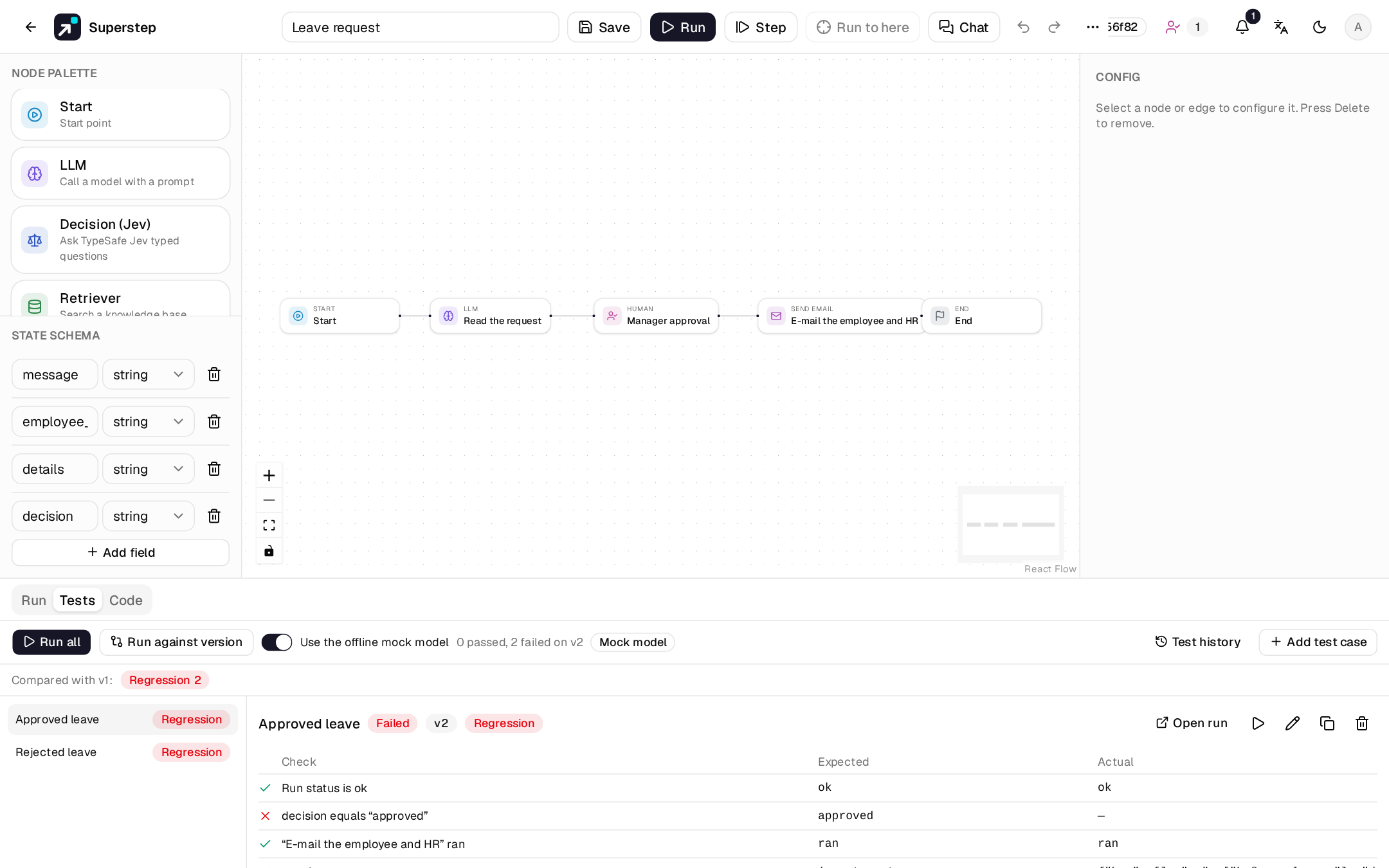
Each result is compared with the latest finished run of the tests on an earlier version. The bar above the cases shows the counts and that version; each case shows its label.
| Label | Meaning |
|---|---|
| Regression | Passed before, fails now. |
| Fixed | Failed before, passes now. |
| Still failing / Still passing | No change. |
| New | No earlier result, for example a case added since. |
A case keeps its identity when you edit it. With no earlier result, the bar says so: Run against version runs the tests on a stored earlier version to get one. Test history lists the last runs of the tests (version, who, when, passed and failed) and opens any of them.
Save a run as a test case
A run that went well makes a good test. Save as test case on a run in the run history (View all), or in the bar of a run's trace, opens a new case with:
- the run's input;
- the answers its Human nodes were given, in order;
- checks it passes: its status, each node that ran (but Start and End), and each field it set. A value longer than 200 characters is checked with "contains" its first 200 characters.
Remove what you do not need, then save.
Checks that no longer fit the graph
A check that names a node or a state field the graph no longer has is marked No longer in the graph, and fails with that reason when it runs. Change the check or remove it. A Tool called check whose tool the Agent node no longer has is marked too.
Built-in templates
Each built-in template comes with one to three test cases, and a workflow made from it gets a copy (see Workflow templates). They pass with the offline mock model. RAG Q&A, Support with escalation and Support agent need a knowledge base first. Templates you save carry no test cases.
Send results to LangSmith
When the server has LANGSMITH_API_KEY (and LANGSMITH_ENDPOINT for a
self-hosted LangSmith), an admin can turn on Settings > Users > LangSmith >
Send test results to LangSmith. Each finished test run is then sent in the
background:
- the workflow's test cases become a LangSmith dataset named
Superstep: <workflow> (<id>), one example per case (input, checks, scripted answers), kept in sync on each send; - the test run becomes an experiment on that dataset, with one run per case
(final state as outputs) and feedback
passedplus one score per check.
The Tests panel then has a LangSmith menu: Open in LangSmith opens the experiment, and editors can choose Send to LangSmith to send a test run again (a new experiment). A failed send is logged and never changes the test results.
When runs are also traced to LangSmith (LANGSMITH_TRACING=true, see
Observability), each run's Open trace link
opens its trace in LangSmith, unless STUDIO_TRACE_URL is set.
API
GET|POST    /api/workflows/{wid}/tests
PUT|DELETE  /api/workflows/{wid}/tests/{tid}
POST        /api/workflows/{wid}/tests/run              {test_ids?, mock?, version?}
GET         /api/workflows/{wid}/tests/runs             (history)
GET         /api/workflows/{wid}/tests/runs/{sid}       (results and comparison)
POST        /api/workflows/{wid}/tests/runs/{sid}/cancel
POST        /api/workflows/{wid}/tests/runs/{sid}/langsmith   (send to LangSmith again)
POST        /api/workflows/{wid}/tests/from-run/{run_id}   (a draft case, not saved)