Human approval
A Human node pauses the run in status waiting and asks its prompt.
The answer goes to the node's output_field, so a Condition after it can
branch on it.
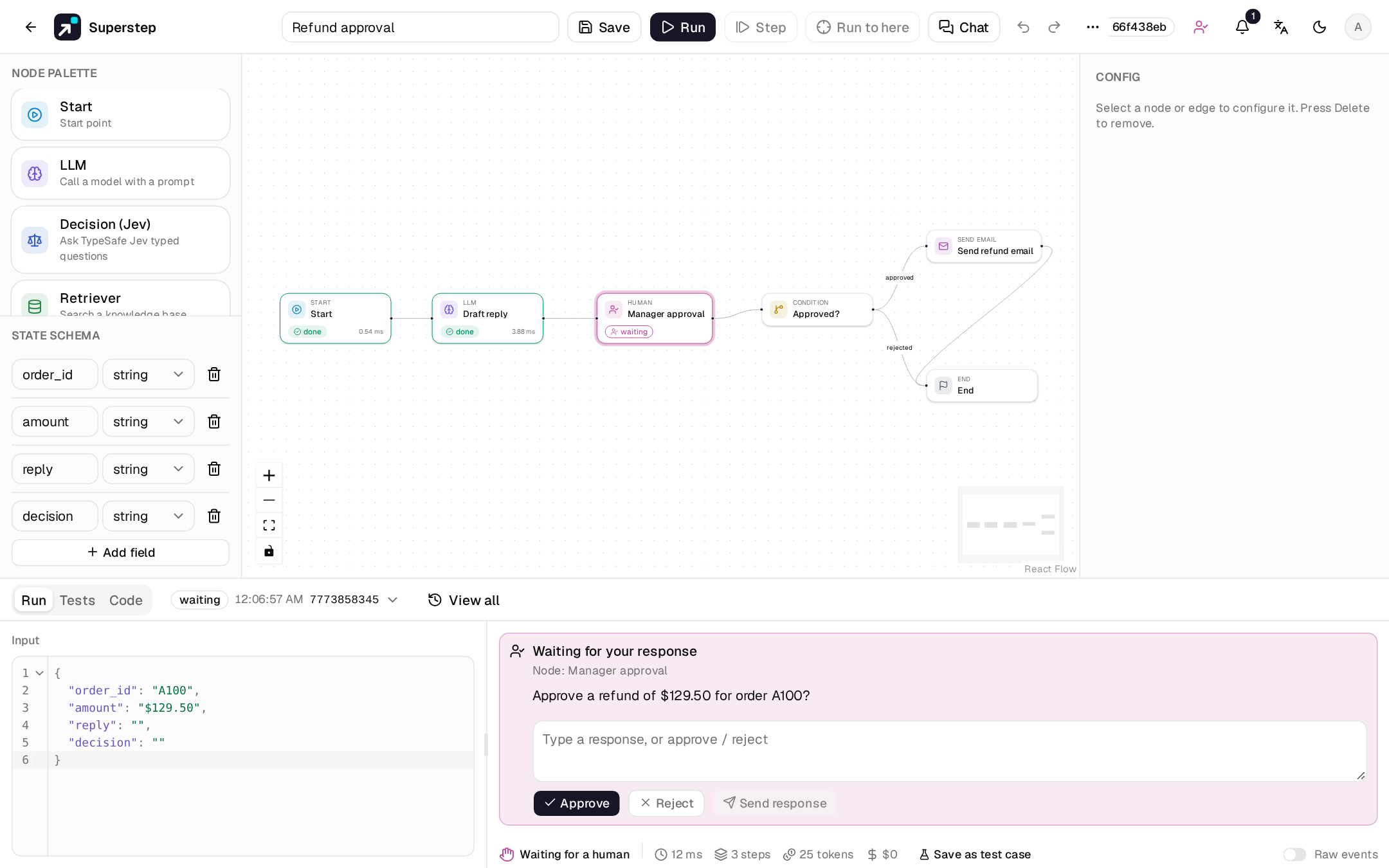
Answer in the studio
The logs in the Run tab show the question with Approve (approved), Reject
(rejected), or a free-text Send response. Only the run's owner can open,
answer or cancel the run here.
The Approvals page
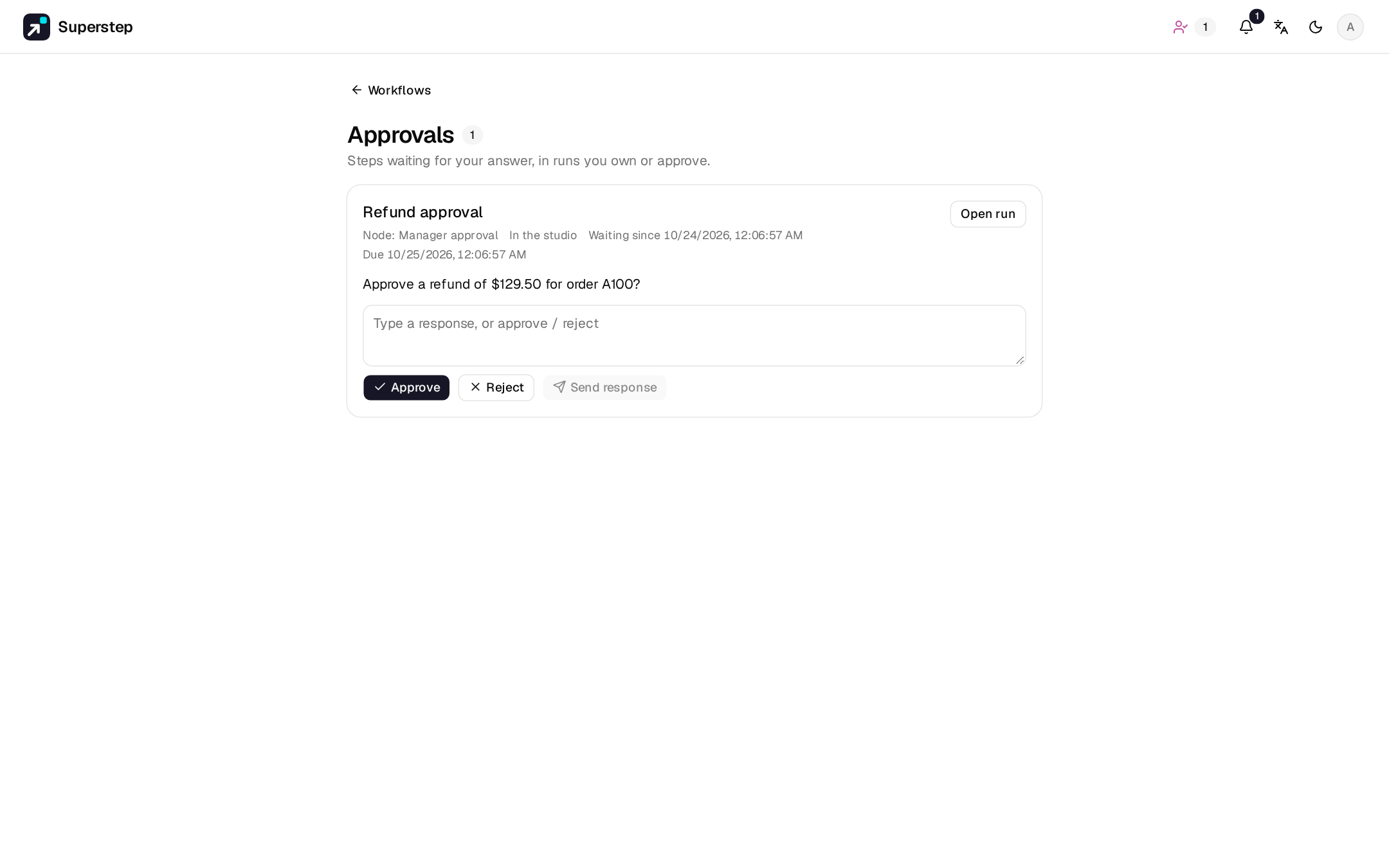
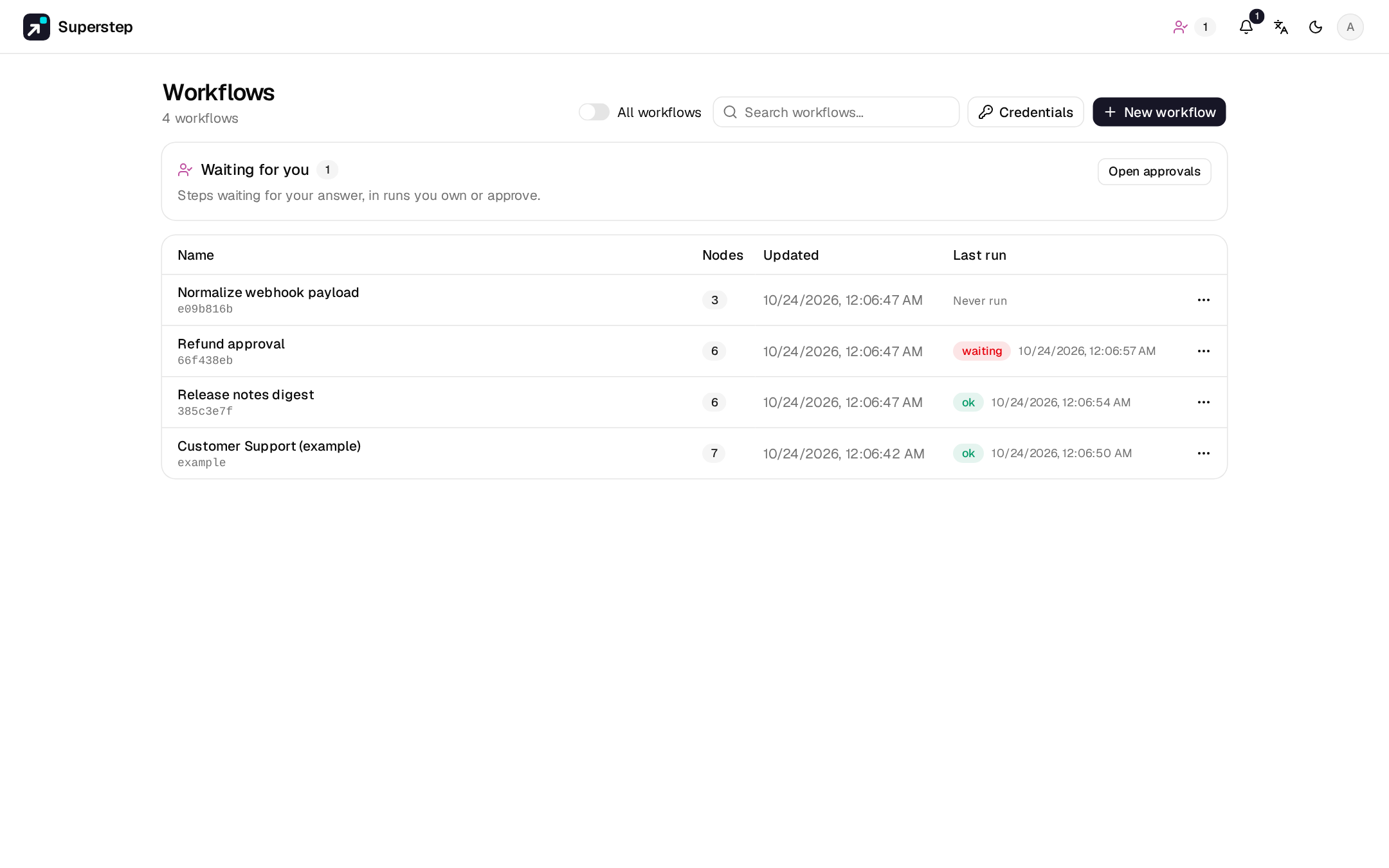
Approvals (/approvals, the person icon in the header) lists every step
waiting for you, across all workflows: runs you own, and runs where you are an
approver of the waiting Human node. Each row shows the workflow, the step,
the question, who started the run, how long it has waited and the channel the
request went to. Answer with Approve, Reject or a text reply, right in
the row.
- Name approvers by e-mail in the Human node's Approvers field. It works with or without an approval channel. Each address must belong to a studio account.
- An approver sees only the request: not the workflow, the run trace or its data. Open run shows only for the run's owner, and for the workflow's owner or an admin.
- The first answer wins, wherever it comes from: the editor, the Approvals page or a chat button. Later answers are refused. An answer here closes the chat request and edits its message.
- The header badge counts the steps waiting for you, and Workflows shows a link to the page while any are waiting.
Checkpoints live in the database, so a restart resumes the run where it
stopped. Waiting time does not count toward the run's duration. A wait longer
than STUDIO_WAIT_TTL seconds (default 7 days; 0 never expires) becomes
expired, and resuming then returns 410 RUN_EXPIRED.
GET  /api/approvals/inbox                       # steps waiting for you, owner or approver
POST /api/approvals/inbox/{run_id}  {"response": "approved"}
GET  /api/runs/pending                          # your own waiting runs
WS   /ws/run   {"resume_run_id": "…", "response": "approved"}
POST /api/runs/{id}/cancel
Deadlines
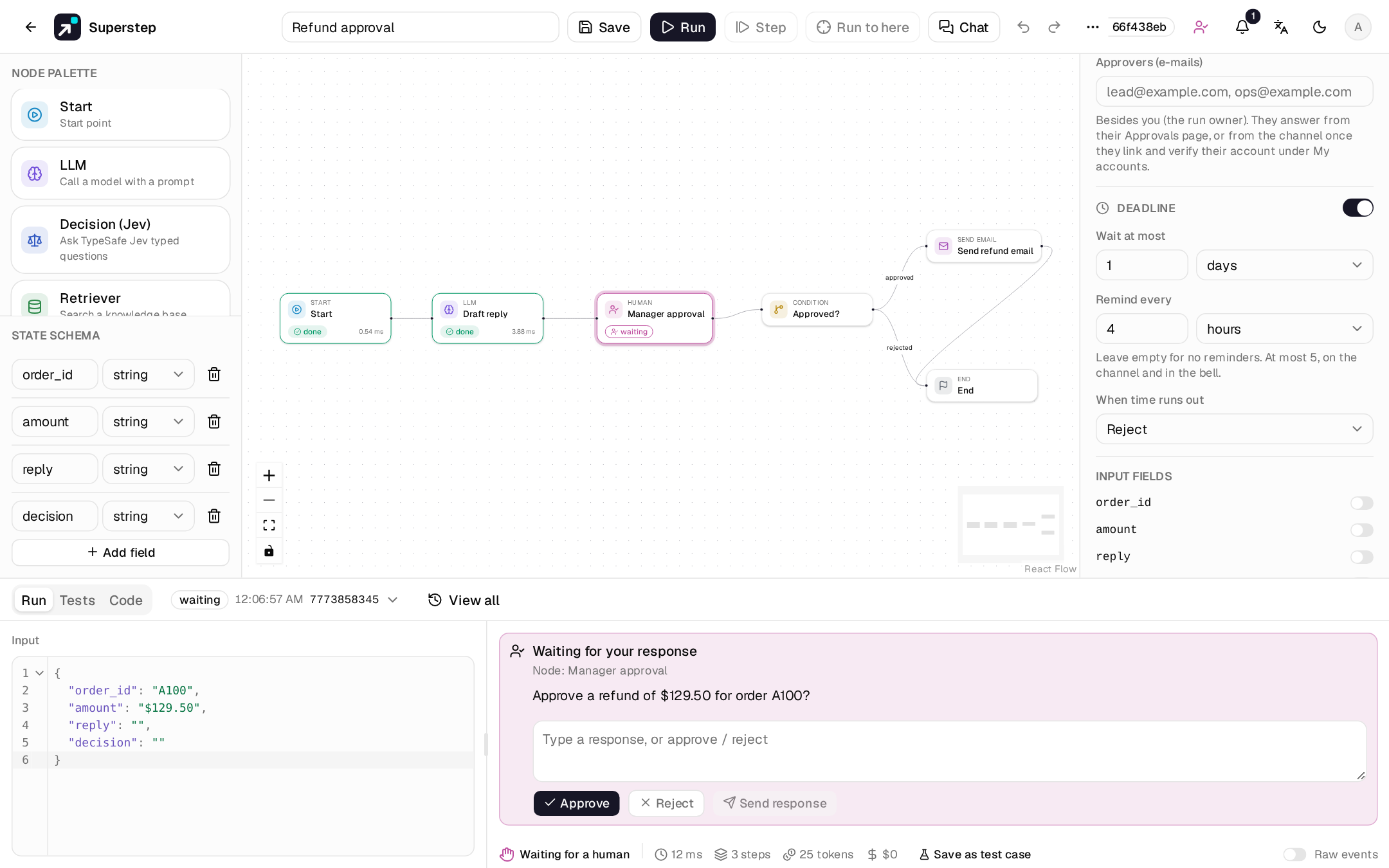
A Human node can have a Deadline (the switch under the approval channel).
Without one, the step waits until someone answers or until STUDIO_WAIT_TTL.
| Setting | What it does |
|---|---|
| Wait at most | How long the step waits, in minutes, hours or days. |
| Remind every | Optional. Sends a reminder at this interval, at most 5 times. |
| When time runs out | Reject or Approve: the run continues as if that answer was given. Hand to other approvers: see below. |
| Hand to | E-mails of studio users, for Hand to other approvers. |
- A reminder goes to the run owner and the approvers as a notification (the bell, and e-mail if they turned it on). On a node with an approval channel it is also a new message with new buttons; the old message says a reminder was sent, and its buttons stop working.
- Reject and Approve on timeout follow the node's normal branches. The
run trace (
run_resumed,by: {"channel": "deadline"}) and the Audit log (Timed out) say the deadline answered, not a person. - Hand to other approvers happens once. The listed people become approvers, get the request in their channel and on their Approvals page, and have the same time again. If nobody answers then, the step is rejected. Addresses with no studio account are skipped and logged.
- Chat buttons expire at the deadline when it comes first.
- The deadline must be shorter than
STUDIO_WAIT_TTL(twice the time with a hand-over); the validator says so otherwise. - The Approvals page shows the due time of each step, or Overdue, with the nearest deadline first.
Durations are wall-clock time, with no business hours. Deadlines fire from the worker's maintenance loop, once each, also with several workers and after a restart. A deadline that passed while the server was down fires right after it starts.
Notifications
The bell lists unread notifications and receives them live on
/ws/notifications, with a 30 s poll as fallback. Each user picks what they
receive under Settings → Profile.
| Channel | Set up |
|---|---|
| In-app bell | Always on |
SMTP_HOST (and SMTP_PORT, SMTP_USER, SMTP_PASSWORD, SMTP_FROM, SMTP_STARTTLS or SMTP_SSL); links use STUDIO_PUBLIC_URL |
|
| Webhook | STUDIO_NOTIFY_WEBHOOK_URL posts JSON for each waiting or expired run, signed with STUDIO_NOTIFY_WEBHOOK_SECRET when set |
Approve from chat
A Human node can also send the request to an approval channel:
| Channel | Carries | The answer |
|---|---|---|
| Slack | Approve / Reject buttons | a button press by a verified Slack account |
| Telegram | Approve / Reject buttons | a button press by a verified Telegram account |
| Two reply buttons | a reply by a verified phone number | |
Approve / Reject links to /approve?token=… |
confirmed in the studio after sign-in | |
| Microsoft Teams | An Adaptive Card with links | confirmed in the studio after sign-in |
The same rules apply everywhere: only the run owner or an approver listed on
the node, one answer, and an expiry (STUDIO_APPROVAL_TTL, default 86400 s).
Button tokens are HMAC-signed and single-use. Messages follow the run owner's
language. Answering in the studio disables the chat buttons; cancel and expiry
close the request. With no channel configured, nothing is sent.
Setting up each channel is in Approval channels.
Approvals from an Agent node
An Agent node can ask before it
calls a tool marked Needs approval. The run waits exactly as at a Human
node: the step, named Agent › tool, shows the tool and its arguments, and it
goes to the run panel, the Approvals page and the approval channel set on
the Agent node, with its approvers and deadline. Approve runs the call.
Reject, or a text reply, rejects it, and the model is told so, with the
text as the reason. Each call asks again.
AI review
A model can review a request before people see it: as a suggestion shown next to the request, or approving on its own when it is sure. See AI review of approvals.
Approvals inside a called workflow
When an Agent node calls another workflow as a tool
(see Workflows as tools), a Human node
or a tool approval inside that workflow asks as usual. The request names both
workflows, for example Support team › Refund desk, on the Approvals page
and in the channel message. The calling run waits too, but it is not listed:
it goes on by itself once the called run ends.
A typical pattern
Start → LLM (draft a reply) → Human (approve the draft?) → Condition on decision
      ├─ approved → Send email → End
      └─ rejected → End
The Approval flow starter template has this shape.