MCP servers
Managed connections
Under Settings → MCP, add a Managed connection and choose its service adapter. Press Discover tools, then select it in the existing MCP tool node or an Agent's MCP tool slot. Service-specific behavior stays in adapters; the graph uses the same tool interface as remote MCP servers.
| Adapter | Connection settings | Tool arguments |
|---|---|---|
| Telegram actions | An existing Telegram channel connection; fixed destination chat ID | send_message: plain text, optional integer reply_to_message_id |
| Google Sheets | Fixed spreadsheet ID and tab name; number of data columns (1–25); encrypted service-account JSON key | append_row: values, exactly the configured number of scalar values |
| Generic HTTP API | Fixed API base URL, JSON tool definitions and encrypted authentication-header JSON | Your configured tools; GET sends scalar query parameters, other methods send a JSON object |
| Slack actions | Existing Slack channel connection and fixed conversation ID (C/G/D) | send_message: text, optional thread_ts |
| WhatsApp actions | Existing WhatsApp channel and fixed international recipient number, digits only | send_message: text |
| Email actions | Existing email channel, fixed recipients (up to 10); studio SMTP configuration | send_email: text, optional subject |
| Microsoft Teams actions | Existing Teams channel with its encrypted Workflows webhook | send_message: text |
| Google Drive files | Fixed folder ID; encrypted service-account or authorised-user OAuth JSON | List/search, metadata, bounded text/Google Doc read, create plain-text file |
Create a Google service account, enable the Sheets API and share the selected spreadsheet with its email as an editor. Paste its JSON key in Settings. No end-user OAuth or domain-wide delegation is needed for a directly shared sheet. Secrets are encrypted and never returned in tool metadata/workflow JSON. Telegram reuses the channel's secret; another user's personal channel cannot be delegated by choosing it in an organisation MCP connection. Access and organisation policy are rechecked at call time.
For six data columns, create headers in A–F and reserve G for the operation ID.
Do not remove or overwrite that column. The Sheets append API
receives RAW values: strings stay text, including formula-looking input, and
numbers remain numbers. The extra ID allows a read-only lookup after a lost
response. Reconciliation scans at most 100,000 rows; use a new tab before that
limit. Do not share the same tab with writers that alter/remove operation IDs.
Generic HTTP API
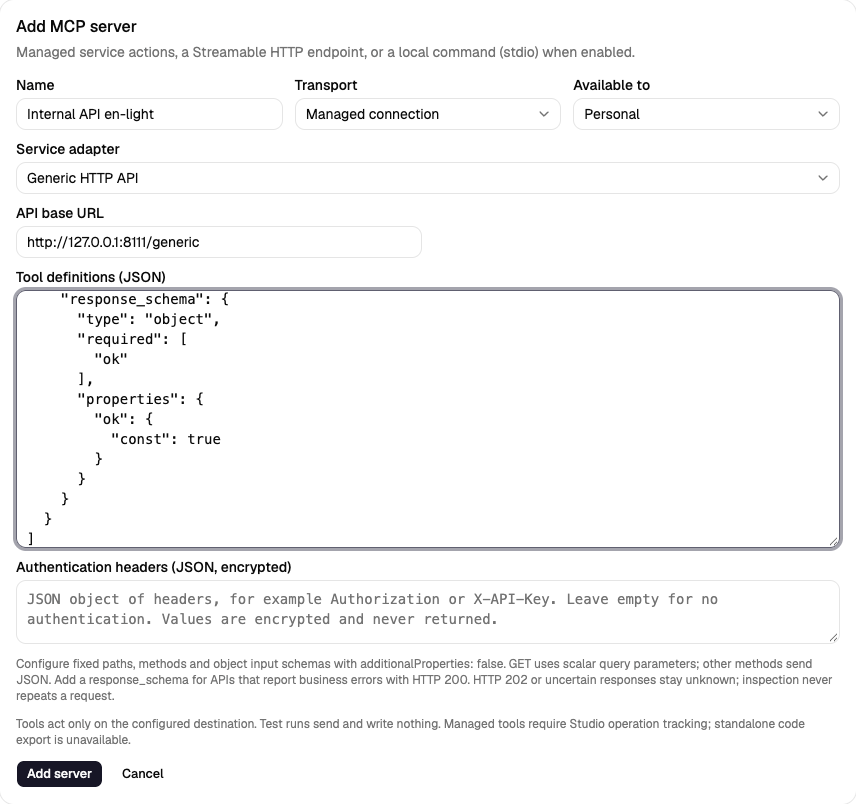
Choose Generic HTTP API under Managed connections. Set an HTTPS base URL
such as https://api.example.com/v1. Tool paths are fixed relative paths, not
templates; runtime arguments cannot choose the URL, method or headers. Private
addresses and plain HTTP require the explicit server-side
STUDIO_MCP_ALLOW_PRIVATE=1 override. Each call resolves/checks its destination
and pins the connection; redirects are never followed.
Paste a JSON array into Tool definitions. For example:
[
  {
    "name": "create_record",
    "description": "Create a record in the configured API",
    "method": "POST",
    "path": "/records",
    "input_schema": {
      "type": "object",
      "additionalProperties": false,
      "required": ["text"],
      "properties": {"text": {"type": "string", "maxLength": 4000}}
    },
    "success_statuses": [200, 201],
    "response_schema": {
      "type": "object",
      "required": ["ok"],
      "properties": {"ok": {"const": true}}
    }
  }
]
Methods are GET, POST, PUT, PATCH and DELETE. Input schemas must describe an
object with additionalProperties: false. GET properties must have scalar
types; other methods send the entire argument object as JSON. Schemas cannot
contain references. No dynamic path variables, form data or file upload is
included. Define separate fixed tools when targets differ, then Discover
tools and select them in an MCP node or Agent slot. Rediscover after editing.
Authentication headers is an optional encrypted JSON object, for example
{"Authorization":"Bearer YOUR_API_TOKEN"} or {"X-API-Key":"YOUR_API_KEY"}.
Never put credentials in the public base URL or tool definitions. Host,
transport, cookie and idempotency headers are controlled by Studio; custom
authentication cannot replace them. Saved values stay write-only. Configured
credential strings are redacted from response data; response headers and URLs
are not returned. Treat returned data as untrusted API content.
Limits: 20 tools, 32 KiB of tool JSON, 4 KiB of encrypted-header JSON, JSON
nesting 16 levels, request arguments 128 KiB and response 256 KiB. The existing
managed request timeout is 20 seconds. Only JSON responses (or an empty body)
are supported. Default successful status codes are 200, 201 and 204; configure
success_statuses for other completed 2xx responses. HTTP 202 remains unknown
because processing is incomplete. A malformed/oversized or response-schema-invalid
success also remains unknown. See HTTP semantics.
An HTTP success only confirms the configured response contract, not arbitrary
business success or delivery. Add response_schema when an API can report
errors with HTTP 200. The example's ok: true contract must match your API.
Every call sends the stable Idempotency-Key; remote deduplication depends on
the API's own contract. This generic adapter has no automatic external lookup:
timeout/unknown operations remain blocked and never resend, including when
Check external result is pressed. Inspect the external API before a new run.
Actions using existing channels
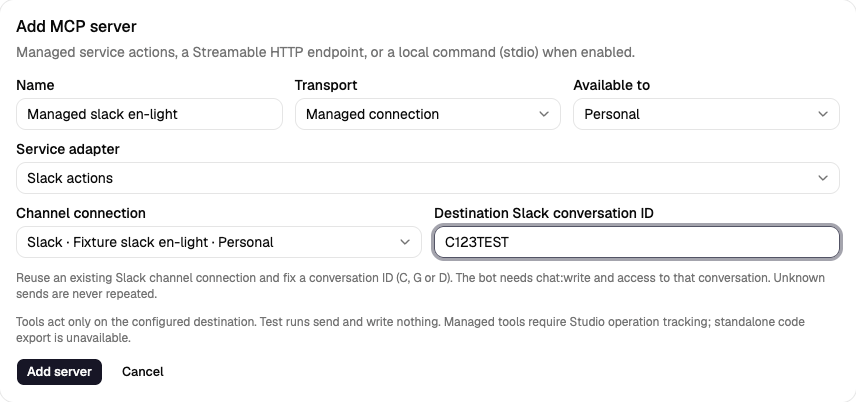
Create the source connection in Settings → Channels, then select the matching adapter under Settings → MCP → Managed connection. The channel picker shows matching platform connections; credentials are reused, not copied into another form. Owner/org access is checked again at execution. A personal MCP connection cannot bypass organisation-channel restrictions. A deleted or inaccessible source channel refuses the action.
- Slack: fix a conversation ID starting C, G or D. The bot needs
chat:writeand membership/access to that conversation; public posting may needchat:write.public. Text is escaped and markdown/link previews are off;thread_tscan place the message in a thread. See chat.postMessage. - WhatsApp: fix the recipient's international number without
+. This adapter sends text within the customer-service window (normally 24 hours after the recipient's message). It does not reuse the channel's approval template or send approval buttons. The provider may reject delivery outside that window even after accepting a request. See Meta's text-message contract. - Email: fix up to ten unique comma-separated recipients. Uses the
existing email channel and studio SMTP sender (
SMTP_HOST,SMTP_PORT,SMTP_FROMand the existing auth/TLS options). The administrator owns those settings.subjectis optional (defaults toSuperstep);textis plain text. Header newlines are normalised. Sends share the owner's existingSTUDIO_EMAIL_NODE_HOURLY_LIMITrecipient budget with Send email nodes; dry runs and cached results consume no additional recipients. Message-ID is stable for the operation; it is not a remote deduplication guarantee. - Teams: choose an existing channel's Workflows webhook; that encrypted URL fixes the destination. Sends a text Adaptive Card without approval links/buttons. Acknowledgement can be HTTP 202: the specific Workflows contract confirms request acceptance, not downstream delivery. See Teams Workflows webhooks.
Text is limited to 4,000 characters; email subjects to 200. Successful results
include delivery: "accepted": this confirms submission acceptance, not that
the recipient read or received it. HTTP rejection is a failure; lost responses,
malformed API success and partial/uncertain SMTP delivery stay unknown. These
adapters have no supported read-only lookup and never resend an unknown
operation, including from Check external result. Inspect Slack/WhatsApp,
the SMTP logs or the Teams workflow before starting a new run. This differs
from generic HTTP 202, where no completion/acceptance contract is assumed.
The signed JSON webhook channel stays inbound-only. It is an event source, not a destination for sending messages. Existing Telegram/Sheets behavior is unchanged; choose each connection's tools in the same MCP node/Agent interface.
For isolated browser acceptance, run from frontend/:
E2E_CHANNEL_SMTP=1 npm run e2e -- managed-channel-actions.spec.ts.
This enables only the local SMTP sink and fake channel APIs. The default
browser suite leaves studio SMTP disabled and exercises Slack/WhatsApp/Teams;
email cases require the explicit flag. Never point this fixture at live services.
Write outcomes and recovery
Every managed write requires the workflow's stable operation key. Studio stores an intent before calling the provider. A confirmed result is reused for the same run/node/iteration; changed arguments or destinations are refused. MCP nodes also participate in the existing result ledger and worker fencing.
Recent operations on the connection shows pending, confirmed, rejected and unknown results, with the external operation ID. Check external result only reads: Sheets can confirm a matching operation ID, but a missing row is never permission to append again. A crash before the request can conservatively leave an unresolved intent. Telegram cannot look up a sent message by this ID, so an uncertain send stays blocked. Never start a new run merely to bypass an unknown result; inspect the external service first. Restore the original destination settings before reconciling an old operation. Rotating credentials can keep those settings unchanged.
Only a confirmed write may lead to a success reply. A provider rejection or unknown outcome stops a normal MCP node. Agent tools receive the normal tool error; an Agent's instructions must require confirmation before claiming success. Workflow tests and mock-model runs perform a dry run without external sends, writes, token exchanges or intent records. HTTP/stdio MCP behavior is unchanged. Standalone Python/TypeScript export retains managed steps as explicit TODO placeholders. They raise/throw until you implement credentials, operation tracking, idempotency and reconciliation outside Studio; no connection settings or secrets are exported. Portable templates contain blank resource references; bind connections after creating a workflow.
Model Context Protocol servers expose tools. Register a server once, then call its tools from MCP tool nodes.
Before you begin
- The
adminoreditorrole for a personal server. Organisation servers and stdio commands need an admin. - A server that speaks Streamable HTTP, or, for stdio,
STUDIO_MCP_STDIO=1on the API host.
Register a server
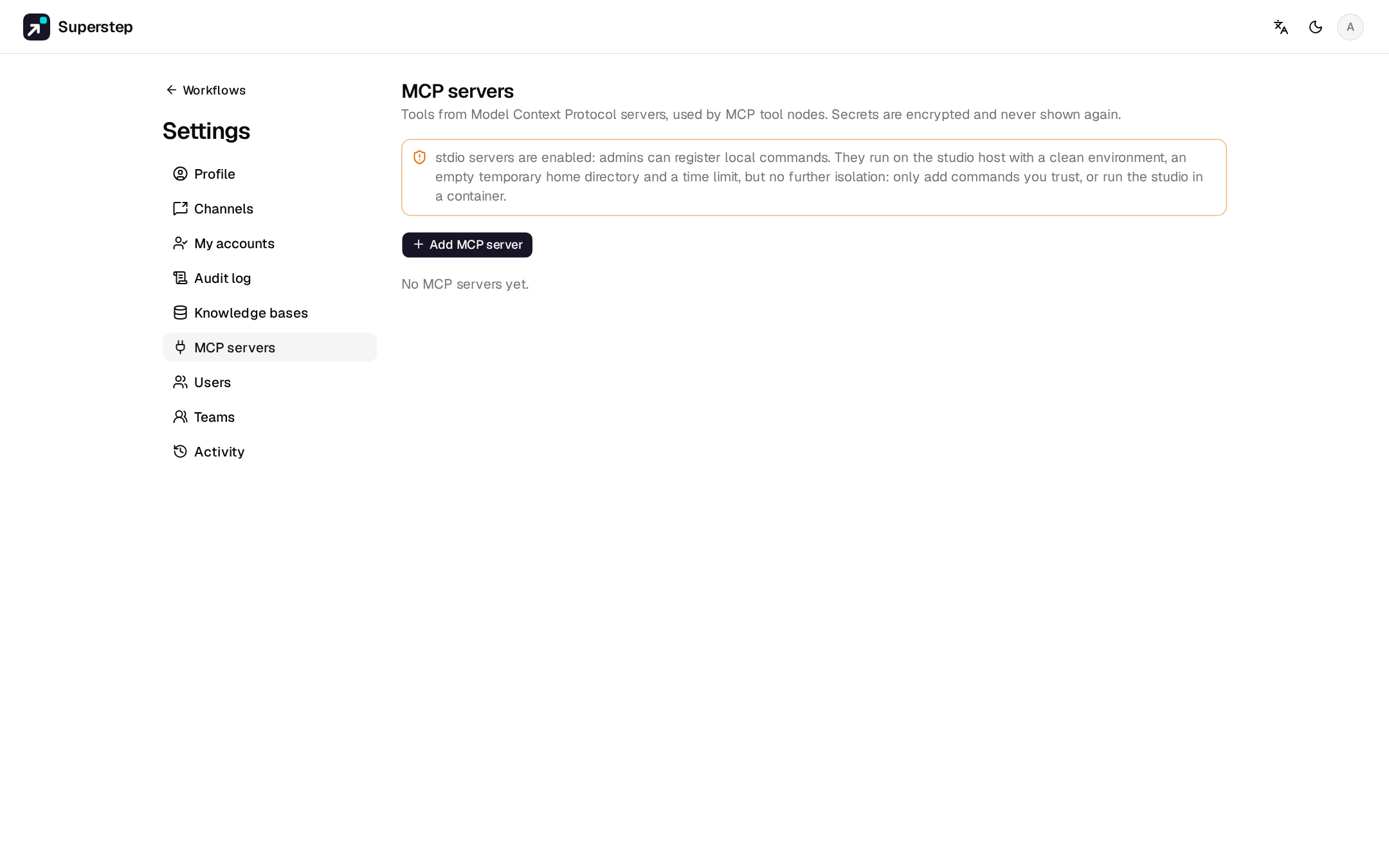
Open Settings → MCP servers and choose Add MCP server.
A URL and optional secret headers. The URL must be public; the connection
is pinned to the checked IP. Private and loopback addresses (a sidecar
container, for example) need STUDIO_MCP_ALLOW_PRIVATE=1.
A command, its arguments (one per line) and secret environment variables, run as a child process of the API. Stdio is
off until STUDIO_MCP_STDIO=1, and only an admin can register a command.
The process gets a clean environment, an empty temporary home and
STUDIO_MCP_TIMEOUT seconds (default 30), then its whole process group is
killed.
Warning
That is not a sandbox. Run untrusted MCP servers as their own HTTP container instead.
Discover tools lists what the server offers. Scope is personal or organisation; admins choose which roles may use organisation servers. Secrets are encrypted, and the API returns only names and masked values.
Call a tool
In an MCP tool node pick the server and the tool; the tool's description appears
in the config. Argument strings are
templates. An argument that is exactly one reference
keeps its type. The result goes to output_field.
A shared workflow runs with the owner's MCP servers.
To let MCP clients call your workflows as tools, see Workflows as MCP tools.
MCP node or Agent node
An MCP tool node calls one tool with arguments you fill in, at a fixed place in the graph. To let a model decide whether and when to call a tool, and with which arguments, add the tool to an Agent node instead: pick the server and the tool, and the model reads the tool's description and input schema from the server. Only the tools you add are offered, never the server's whole list.