Knowledge bases
A knowledge base is a set of documents split into chunks and embedded, so a Retriever node can search them.
Before you begin
- The
adminoreditorrole (resources.manage). Viewers cannot create knowledge bases. - An embedding model. Without a credential, embeddings use
mock:512, an offline model that matches on shared words, not on meaning.
Create one
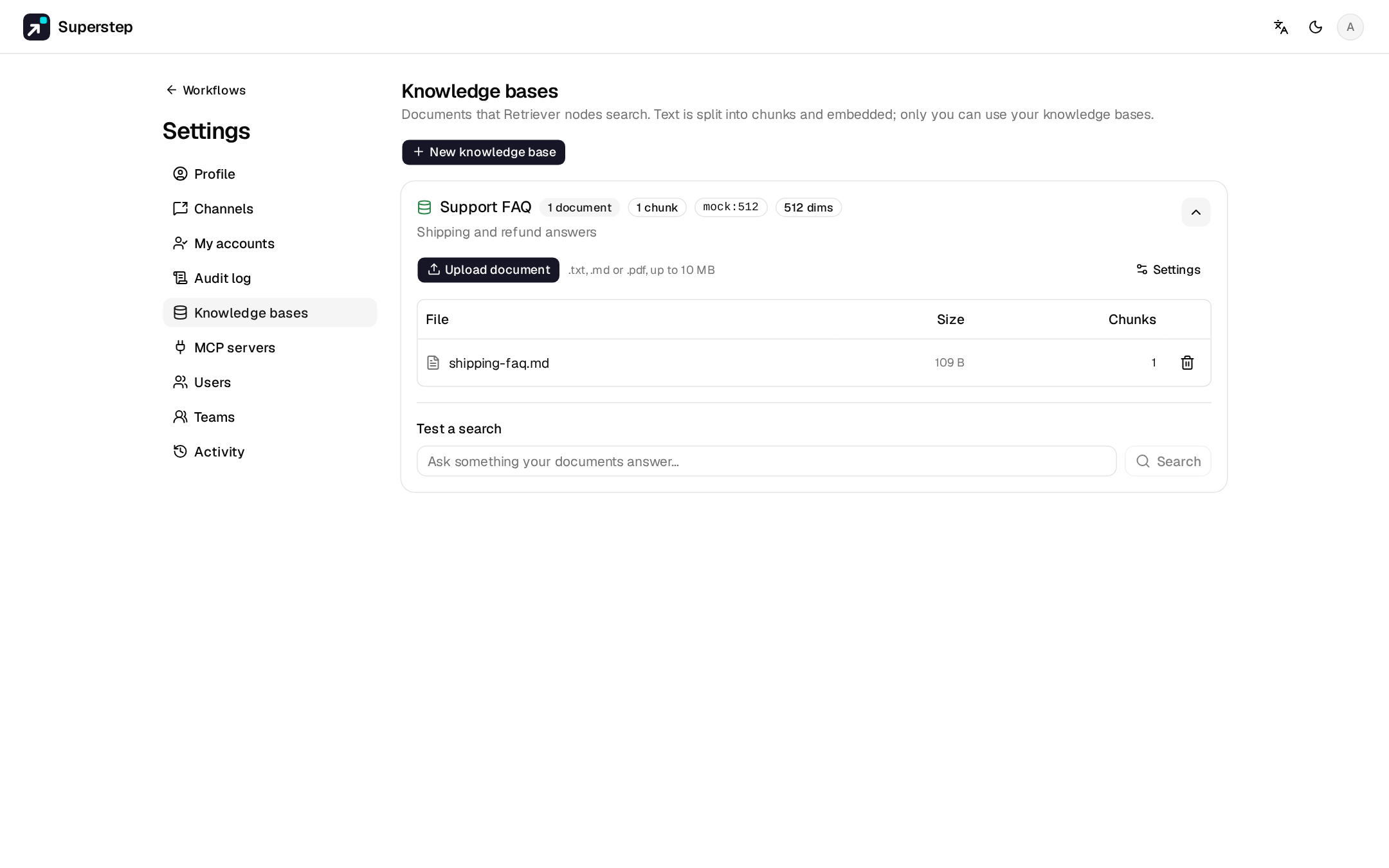
- Open Settings → Knowledge bases and choose New knowledge base.
- Give it a name and choose Create. Settings on the card picks the Embedding model and the Embedding key (a credential).
- Upload document accepts
.txt,.mdand.pdfup to 10 MB each. - Use Test a search on the card to check what a query returns.
Embeddings
Embeddings use the knowledge base's credential, then OPENAI_API_KEY, then a
fixed offline mock (mock:512). The default OpenAI model is
text-embedding-3-small. For Ollama the default local model is
nomic-embed-text (ollama pull nomic-embed-text). Anthropic has no
embeddings API.
Test embedding on a credential reports the vector size. Each knowledge
base stores its dims. A vector of another size fails with
KB_EMBEDDING_DIMENSION_MISMATCH; re-index the base to adopt the new size.
After changing the model or the key in Settings, use Re-index.
Storage and search
| Database | Search |
|---|---|
Postgres with pgvector (the Compose image pgvector/pgvector:pg17) |
In SQL |
| Plain Postgres, SQLite | Vectors stored as JSON, cosine similarity in Python |
Only the owner can use a knowledge base in a run. Error codes are KB_* in
Error codes.
Use it in a graph
Start → Retriever (query: {{state.message}}, top_k: 4, output: context)
      → LLM (prompt: Answer {{state.message}} using {{state.context | json}})
      → End
The RAG Q&A starter template has this shape.