Workflow templates
New workflow opens the template gallery.
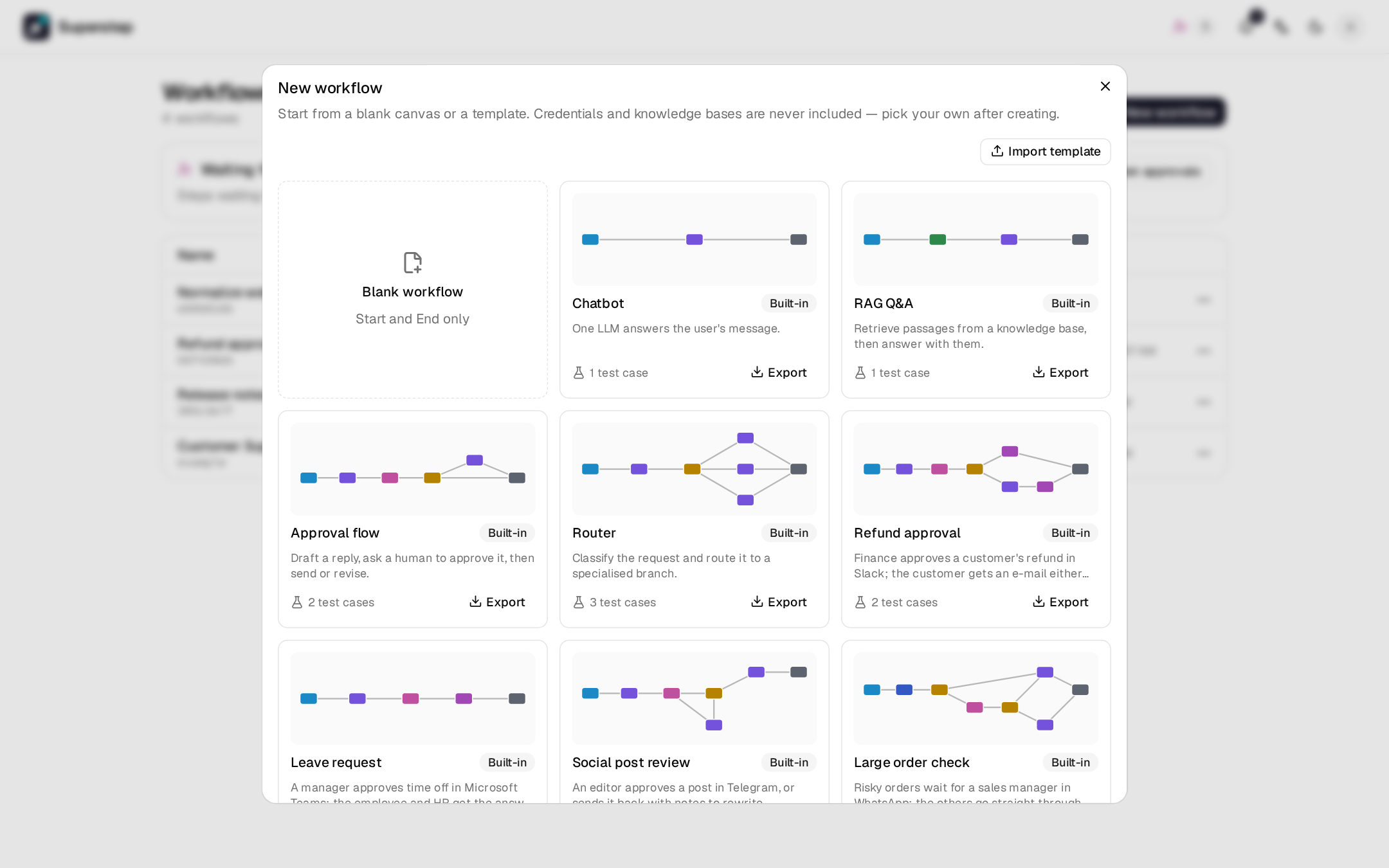
| Group | Contents |
|---|---|
| Blank workflow | Start and End only. |
| Built-in | The thirteen templates below. |
| Only me | Templates you saved. |
| Organisation | Templates shared with everyone. |
Each card has a preview of the graph. Creating from a template copies it into a new workflow you own. Built-in names and descriptions follow the UI language.
Built-in templates
| Template | What it does |
|---|---|
| Chatbot | One LLM answers the user's message. |
| RAG Q&A | Retrieves passages from a knowledge base, then answers with them. |
| Approval flow | Drafts a reply, asks a person to approve it in the studio, then polishes it or stops. |
| Router | Classifies the request and routes it to a specialised branch. |
| Refund approval | Finance approves a refund in Slack. The customer gets a confirmation, or a polite decline written by an LLM. |
| Leave request | A manager approves time off in Microsoft Teams. The employee gets the answer by e-mail, with HR in copy. |
| Social post review | An editor approves a post in Telegram, or replies with notes and the post is rewritten and sent back. |
| Large order check | A Decision node rates each order. Risky ones wait for a sales manager in WhatsApp; the others go straight through. |
| Expense claim | An LLM checks the claim against a travel policy, an approver answers from an e-mail link, and the employee is told. |
| Purchase request | A team lead approves in Slack, then finance approves by e-mail. The requester hears back either way. |
| Support with escalation | Answers from a knowledge base; a Decision node sends unsure answers to a support agent in the studio. |
| Customer feedback digest | A For each loop labels every piece of feedback, then an LLM writes a report that is e-mailed to the team. |
| Support agent | An Agent node looks up orders and the refund policy; a person approves each refund it requests. |
| Support team | A supervisor agent hands each question to a specialist workflow tool: the Order desk or the Refund desk. Using it creates all three workflows. |
| Help desk | Triage answers order questions and hands off billing questions to Billing and technical problems to Technical. In a chat, the next message stays with the agent that answered. |
A template with an approval channel names only the channel. After creating it, pick the connection, the target and the approvers on the Human node (see Approval channels). Until then a run waits at the Human node and can be answered in the studio. RAG Q&A, Support with escalation and Support agent need a knowledge base before they run: the new workflow opens with that in the Run panel, and the node's knowledge base picker stays marked until you choose one.
Each built-in template comes with one to three test cases that show what it is for, for example "Approved leave" and "Rejected leave". A workflow made from it gets them in its Tests tab, and they pass with the offline mock model (see Workflow tests). Templates you save carry no test cases.
Each Human node on a channel also has a deadline that suits the process, for example 2 days with a daily reminder for the leave request, then rejected. Social post review approves the post when the editor says nothing within a day. Change or turn them off on the node.
Save a template
⋯ → Save as template copies the last saved version of the workflow
(save first to include unsaved edits). Choose a name, a description and who
sees it. Organisation scope needs org.manage.
Templates never carry credentials, knowledge bases, MCP servers, approval connections, targets or approvers, subgraph links, headers or API keys, also inside an Agent node's tools. Those fields are emptied, so pick your own after creating. A Human node keeps only the kind of channel it uses, and its deadline without the hand-over addresses.
Export and import
Export on a card writes a *.template.json file:
{"format": "superstep/template", "version": 1,
 "name": "…", "description": "…", "workflow": {"state": [], "nodes": [], "edges": []}}
Import template in the gallery reads one back. A template that contains a
Code node needs code.write to import or use.
Deleting a template asks you to type its name. Workflows created from it are not affected.